Version chaos
Files named by hand, five “finals” in a Drive folder, and nobody sure which one the client saw.
EggMatic: every upload is named for you (1012a_Summer-sale_v2) and the client always sees the version you sent.
New Creative approvals and ad ops for agencies
EggMatic replaces the Google Sheet, the Drive folders and the endless “is this approved?” threads with one workspace for your creatives, ad copy, client sign-off, launches and Meta Ads results.
Explore a working demo agency with any Google account. View only, nothing to set up.
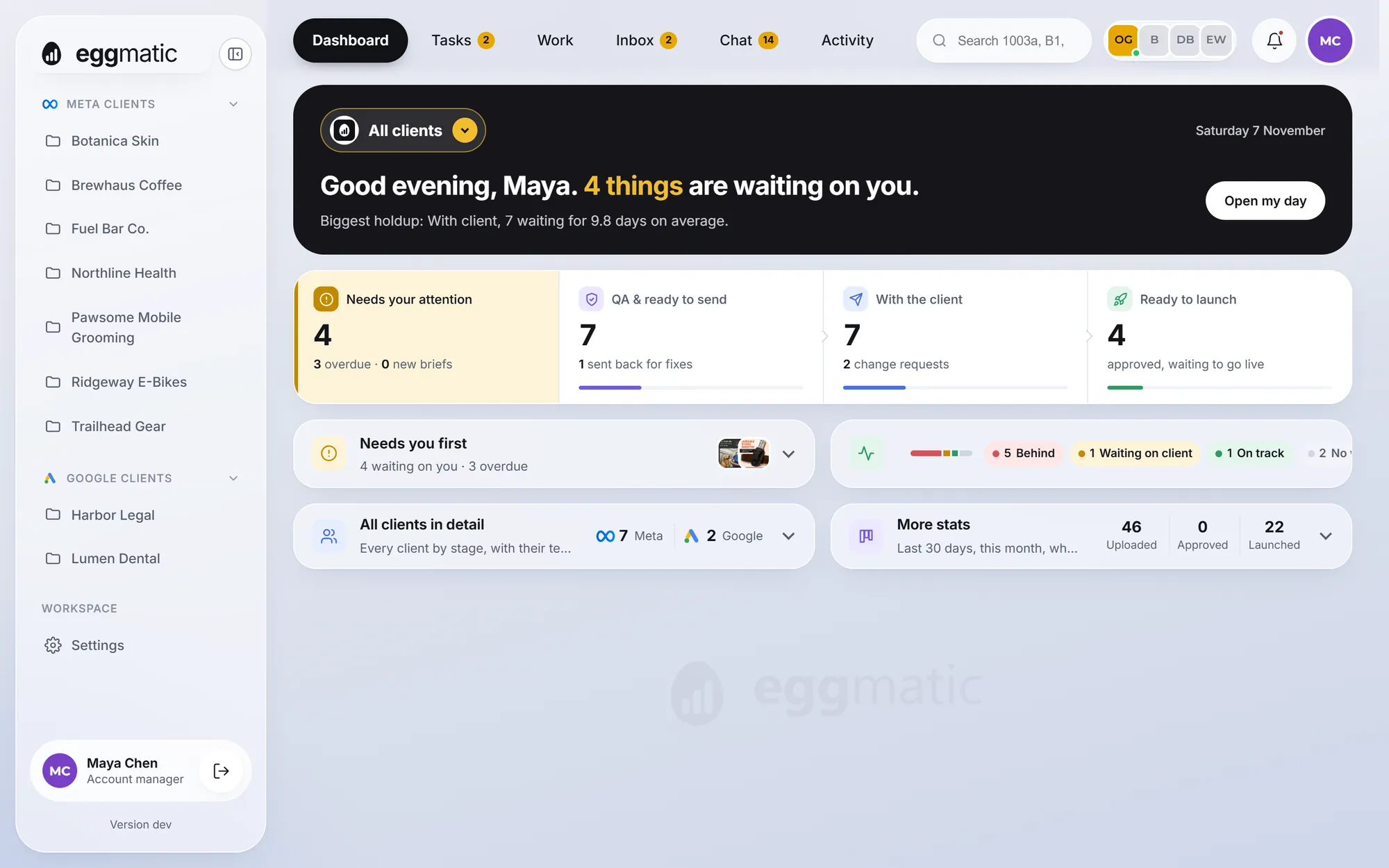
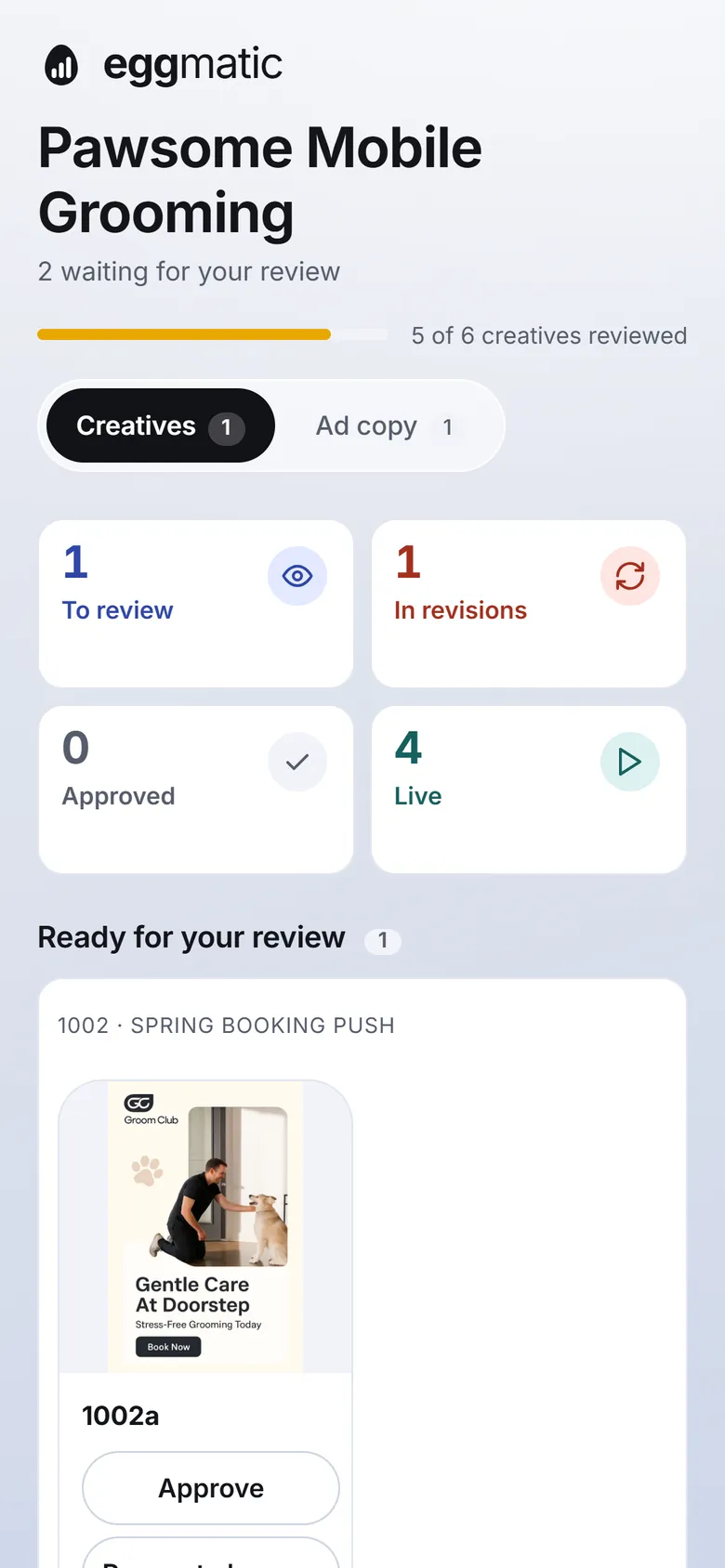
One workspace instead of
Sheets are great for lists. They are terrible at versions, approvals and knowing which ad is actually making money.
Files named by hand, five “finals” in a Drive folder, and nobody sure which one the client saw.
EggMatic: every upload is named for you (1012a_Summer-sale_v2) and the client always sees the version you sent.
Feedback scattered across email, WhatsApp and comments in a Sheet. Work waits for days without anyone noticing.
EggMatic: one private link per client. They approve or ask for changes in a tap, and you see what’s waiting and for how long.
Results live in Ads Manager, creatives live somewhere else, and matching them is a weekly copy-paste job.
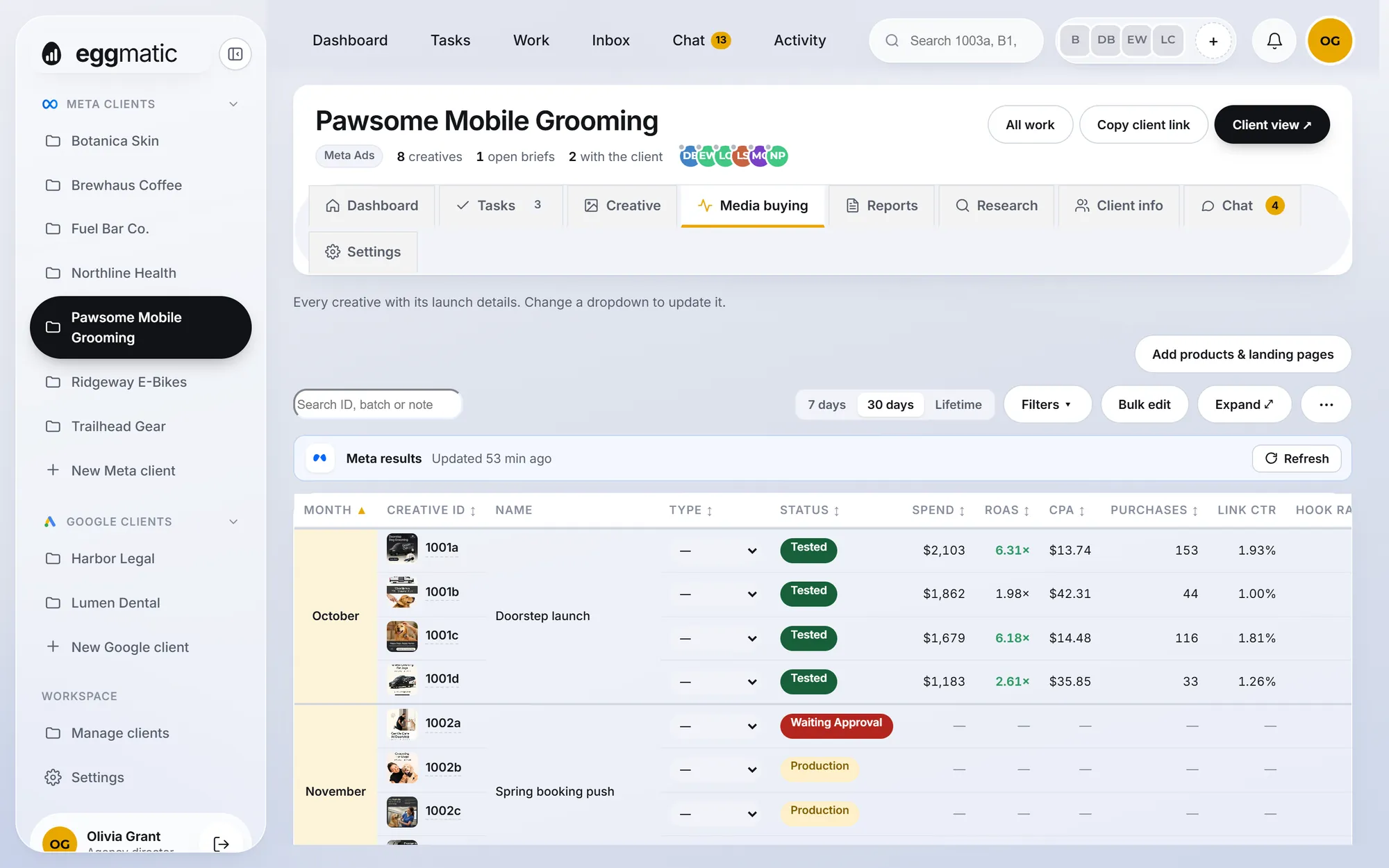
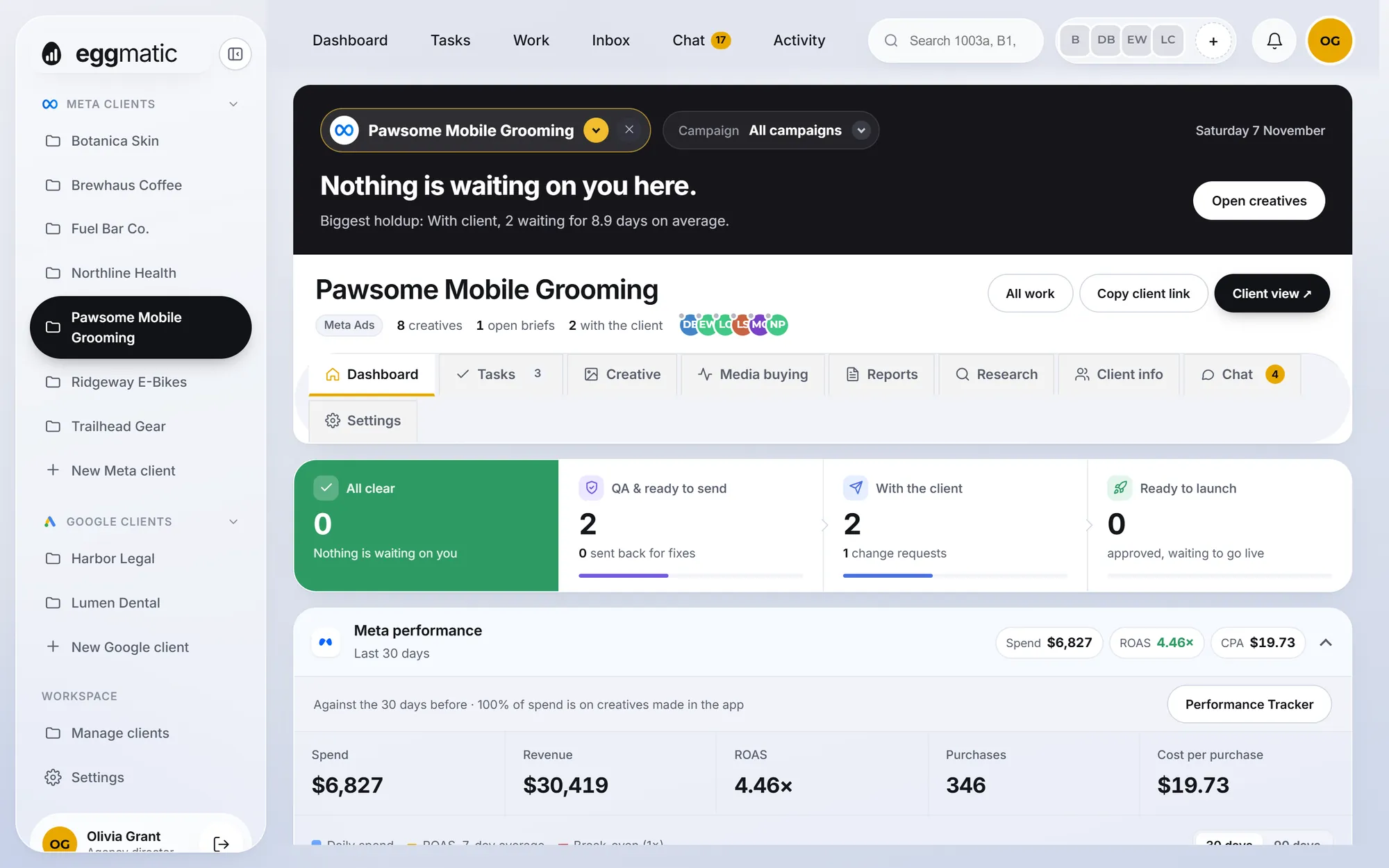
EggMatic: Meta results land on each creative automatically, so you see spend, ROAS and CPA next to the ad itself.
From the first brief to the last report, every step has a home, an owner and a status.
Drop in a batch of statics, videos or carousels and they’re organised by client, month and batch, in your Google Drive or on our servers.
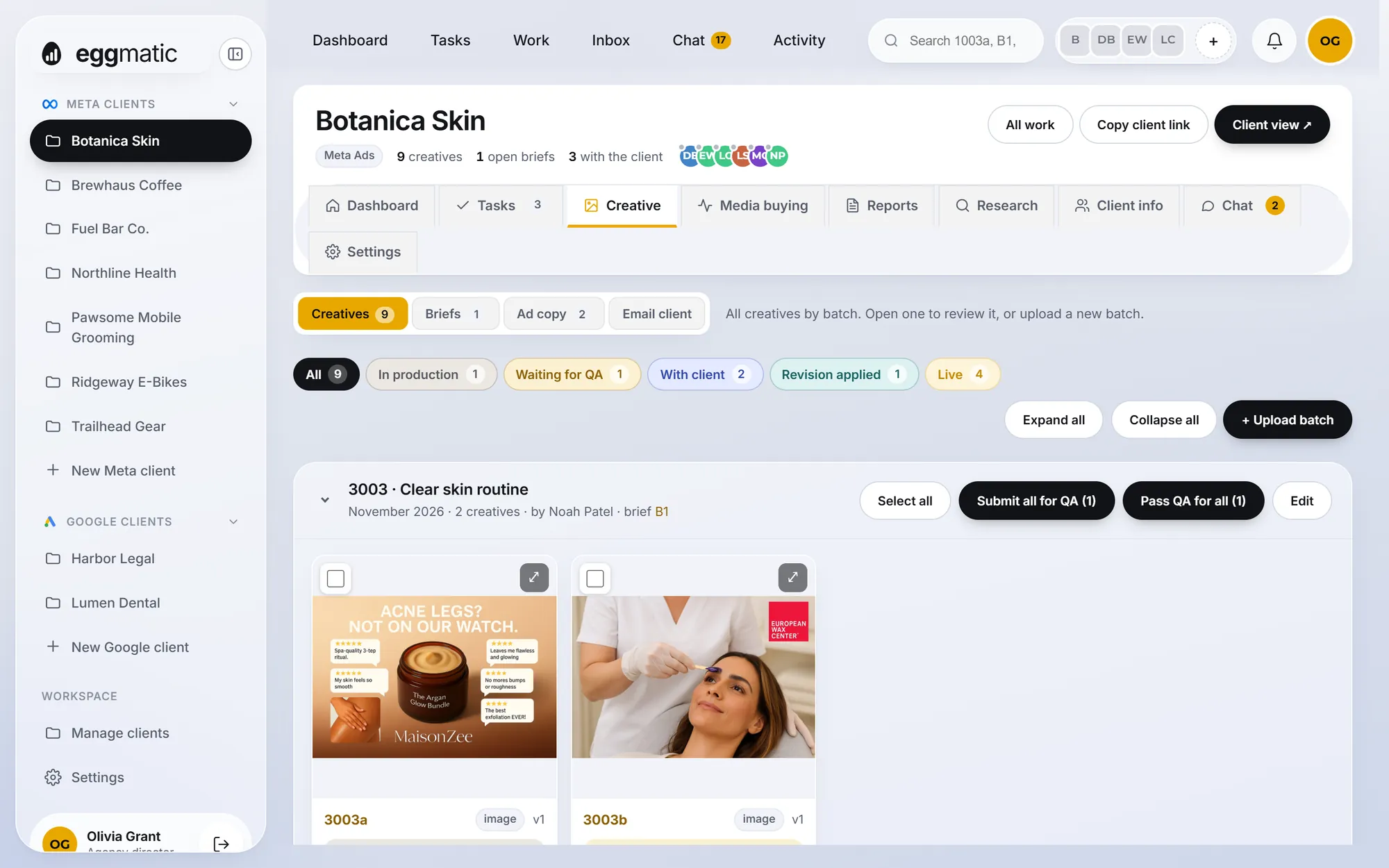
Strategists check the work before a client ever sees it. Then a single private link lets the client approve or request changes, with no account to create.
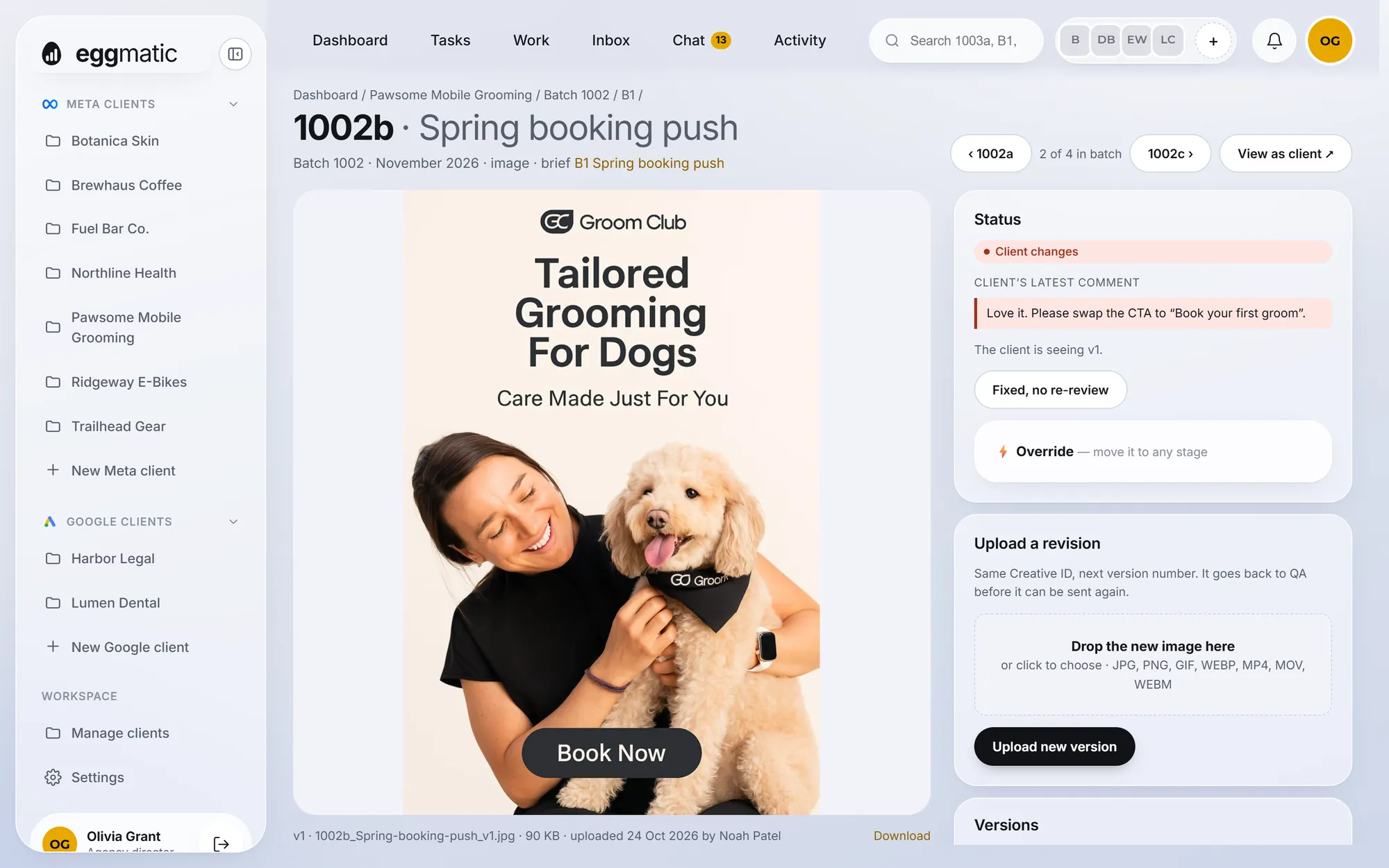
Media buyers see everything that’s approved and ready. Once ads go live, Meta Ads results are matched to each creative by its ID, every night.
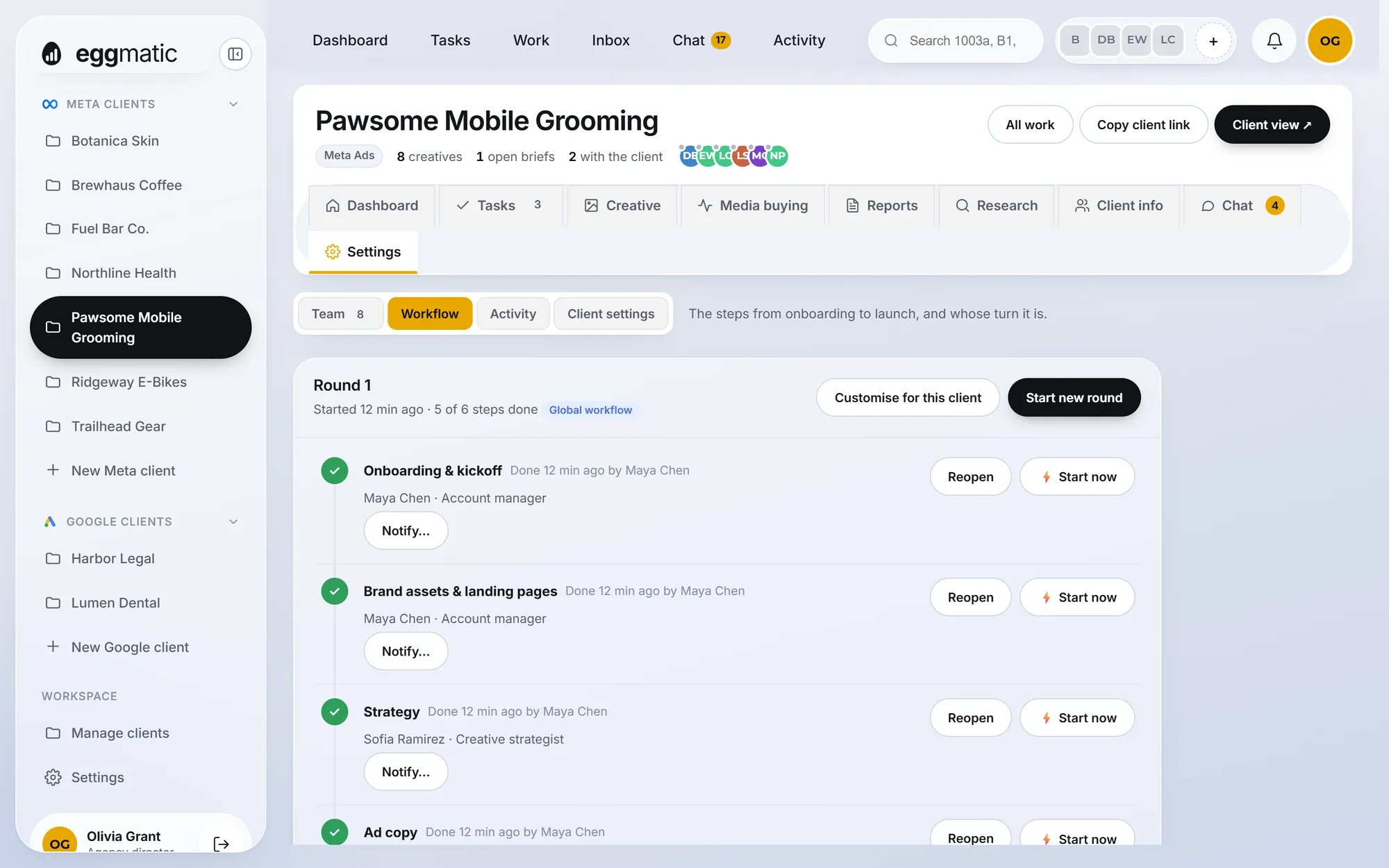
Onboarding, brand assets, strategy, briefs, copy, production, launch and reporting: each step has an owner, a due date and a nudge when it’s their turn.
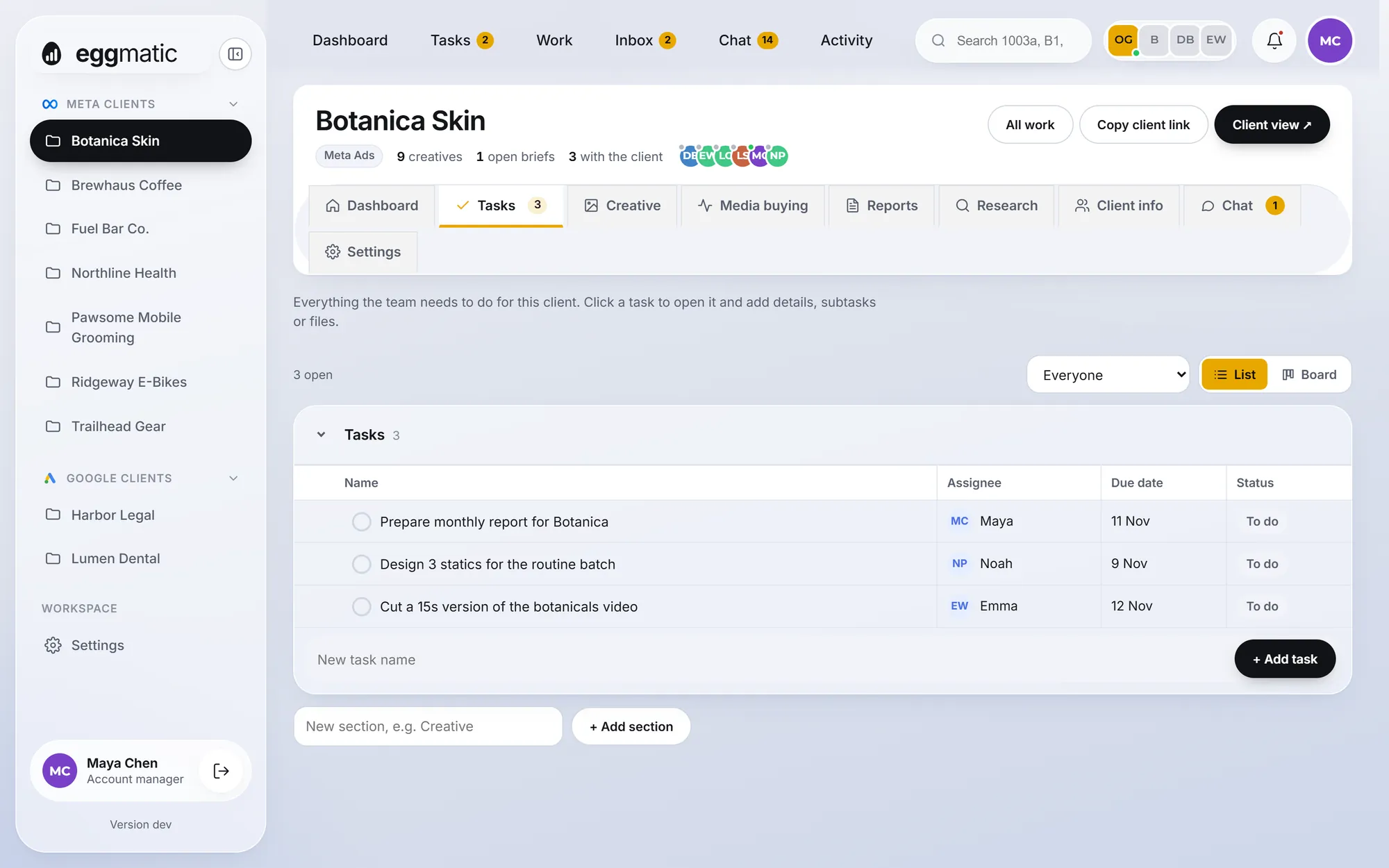
Everything else the team needs to do, per client: link a task to a creative ID, assign it, give it a date, and see it on everyone’s “my day”.
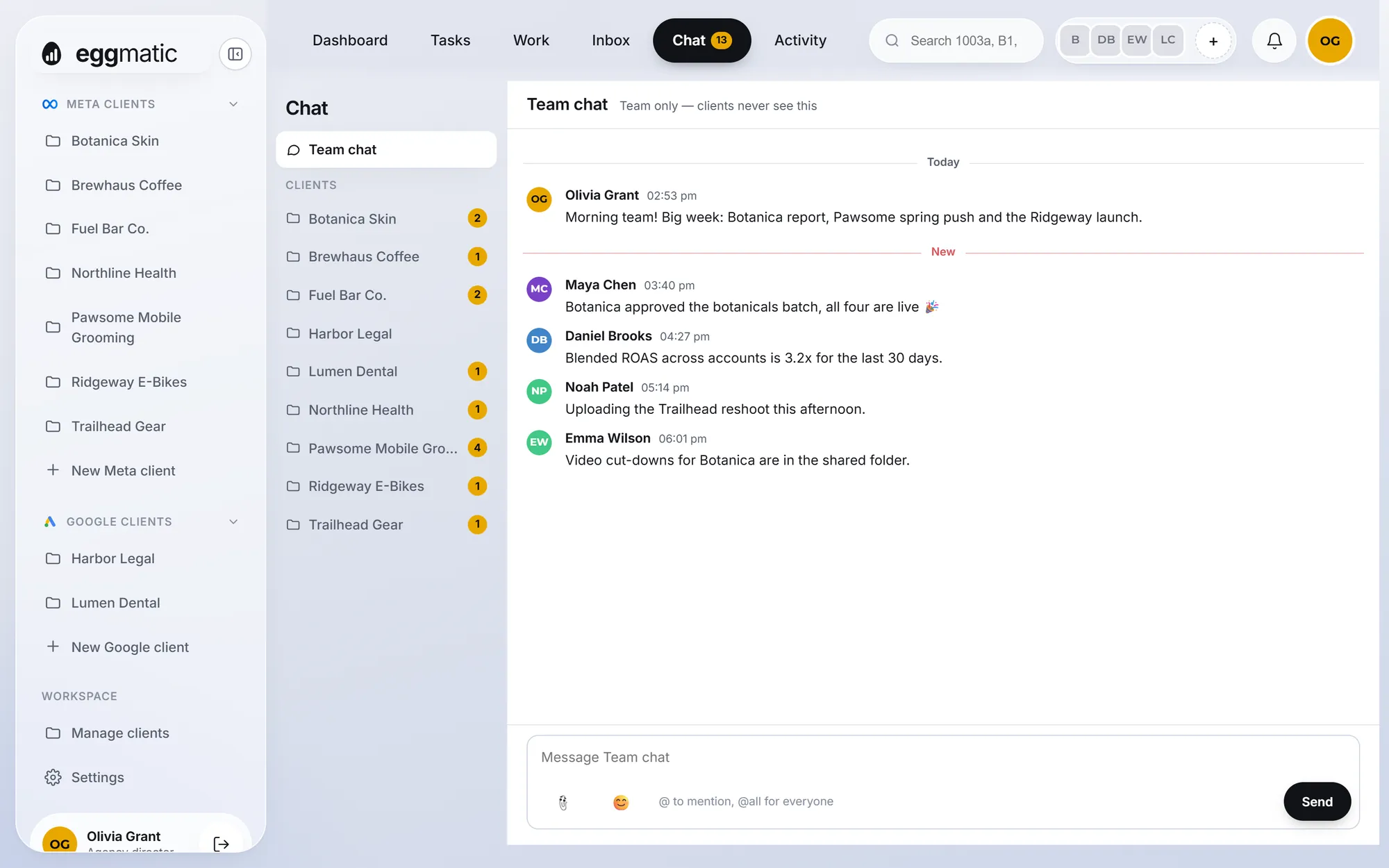
A team channel and one channel per client, with @mentions, files and notifications, so decisions don’t disappear into a group chat.
Each client gets one private link that shows only what you’ve sent them. They tap Approve or Request changes, on their phone, in seconds.
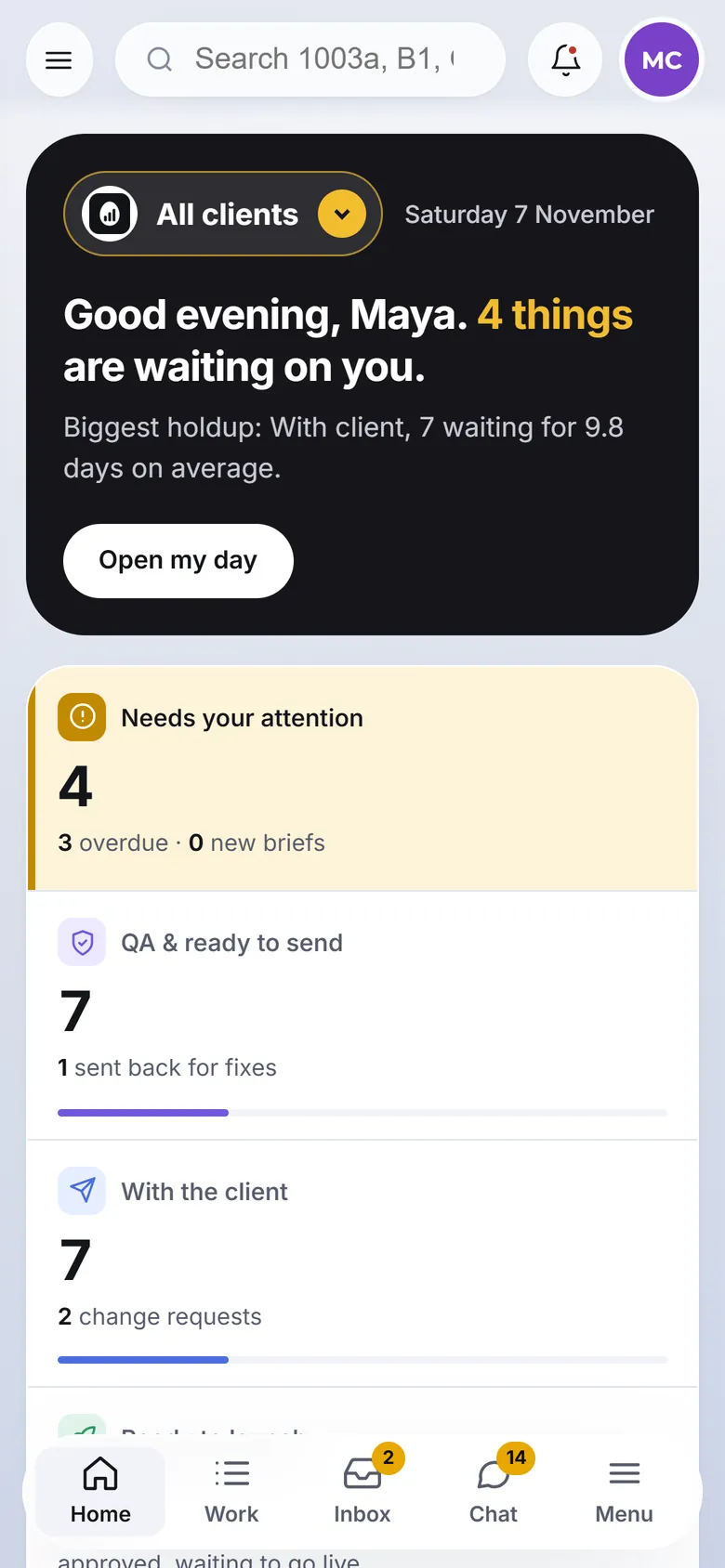
Connect Meta Ads once, with read-only access. EggMatic matches every ad to its creative by ID, so performance shows up right next to the work.
Roles decide who sees what and who can do what. Each person opens EggMatic to their own list, not a 400-row sheet.
Upload batches and revisions, see QA notes and client changes the moment they arrive.
Write briefs, check every creative before it goes out, and keep the angles organised.
Primary texts, headlines and descriptions with versions and scores, linked to the creatives they run with.
Send work to clients, chase what’s waiting and keep each client’s workflow on schedule.
See exactly what’s approved, mark it live and watch its results come in.
One dashboard across every client: what’s stuck, who’s behind and which accounts are performing.
| Job | Google Sheets & manual | EggMatic |
|---|---|---|
| Naming files | Typed by hand, inconsistent, easy to clash | Named automatically by batch, variant and version |
| Tracking status | A colour-coded column someone forgets to update | Status moves with the work: production, QA, client, approved, live |
| Versions | “Final”, “final 2”, “use this one” | Every version kept; the client sees the one you sent |
| Client approval | Screenshots in email, replies in WhatsApp | One private link with Approve and Request changes |
| Handoffs | Messages like “it’s your turn” (if remembered) | The next person is notified with what to do |
| Performance | Exported from Ads Manager and matched by hand | Meta results matched to each creative, nightly |
| History | Lost in edits and chat threads | A full timeline per creative and per client |
Bring your old master sheet with you: EggMatic imports it, so your history comes along.
Create a client, pick its team and import your existing tracking sheet.
Designers drop in files; names, versions and folders are handled for you.
QA internally, then send the client their link. Changes come back to the right person.
Mark ads live and watch Meta results arrive on each creative.
Your team signs in with Google. Only people you invite get in.
Store creatives in your agency’s Google Drive, in folders EggMatic keeps tidy.
Decide who uploads, who approves, who sees results and who manages clients.
Encrypted connections and automatic backups every few hours.
No. Each client gets a private link that shows only the work you send them. They approve or request changes without signing up, and you can give the link an end date.
Yes. EggMatic imports an existing master sheet, so past creatives and their statuses come with you and nobody starts from zero.
In your agency’s Google Drive, in folders EggMatic creates and names for you, or on EggMatic’s own servers if you prefer. EggMatic only touches the files and folders it creates.
You connect Meta once with read-only access. Every night EggMatic reads your ads’ results and matches them to creatives by the ID at the start of the ad name, like 1012a. It never changes anything in your ad accounts.
Yes. Google Ads clients live in the same workspace for tasks, chat and team coordination, alongside your Meta clients.
Yes. Sign in to the live demo with any Google account to explore a working demo agency with clients, creatives, workflows and Meta results. The demo is view only.
See a real agency running on EggMatic. It takes one click and any Google account.